Interacting with Checkmarx via PR Decorations
Note
This functionality is available only for Code Repository Integration projects and not Manual Scan projects. In the initial phase, it is supported only for GitHub repositories.
In addition to displaying scan results, PR decorations can be used to communicate directly with Checkmarx One from within the pull request.
By adding comments that begin with @Checkmarx, users can request additional information about vulnerabilities or initiate a new scan without leaving the SCM.
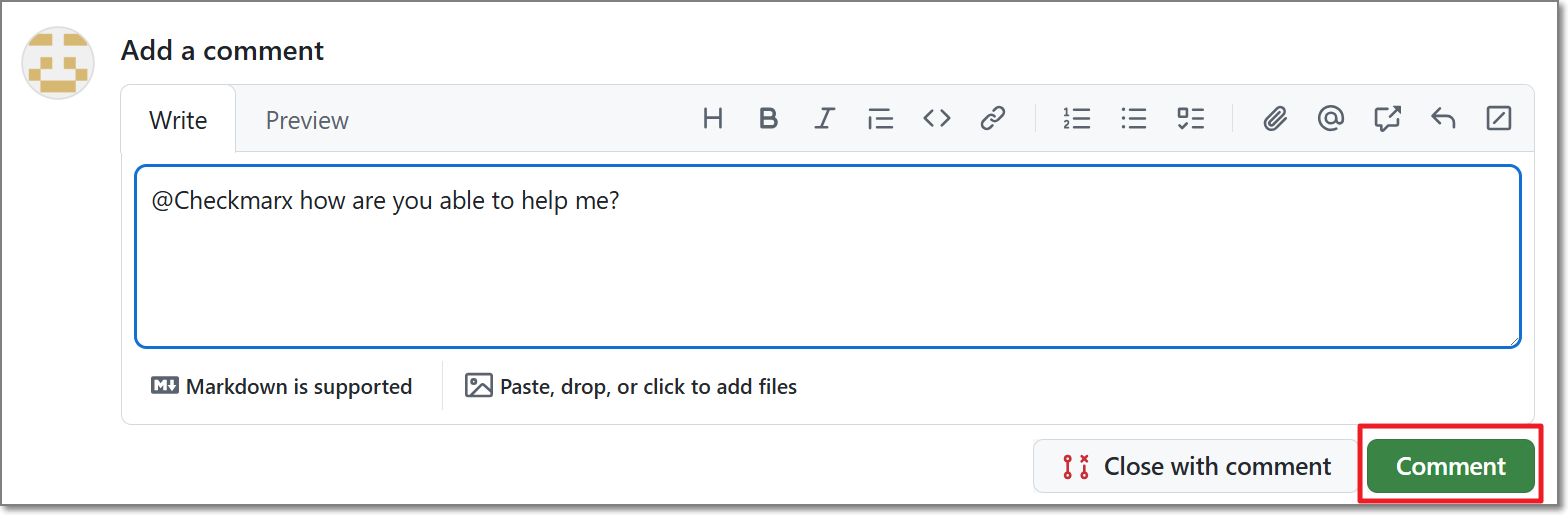 |
The available interactions depend on whether the tenant account has AI capabilities enabled.
AI Enabled Accounts
For AI-enabled accounts, users can interact with Checkmarx One using natural language. For example, users can request additional information about a vulnerability or ask Checkmarx One to perform a re-scan.
When referencing a vulnerability, use the row number displayed in the PR decoration table.
Notice
GitHub Only: For projects with AI Triage & Remediation enabled, users can also request AI-generated remediation directly from the pull request. The AI Remediation agent can generate remediation pull requests for eligible vulnerabilities identified during the scan. See AI Triage & Remediation for additional information.
Non AI Accounts
For accounts without AI capabilities, users can interact with Checkmarx One using the supported commands described below.
options: Retrieve a list of available options.results expand issue=<issue_id> engine=<engine>: Retrieve additional information for a specific vulnerability. Specify the issue_id, which can be found in the PR decoration (shown below), and the name of the scan engine that identified the risk (options are: sca, sast, or kics).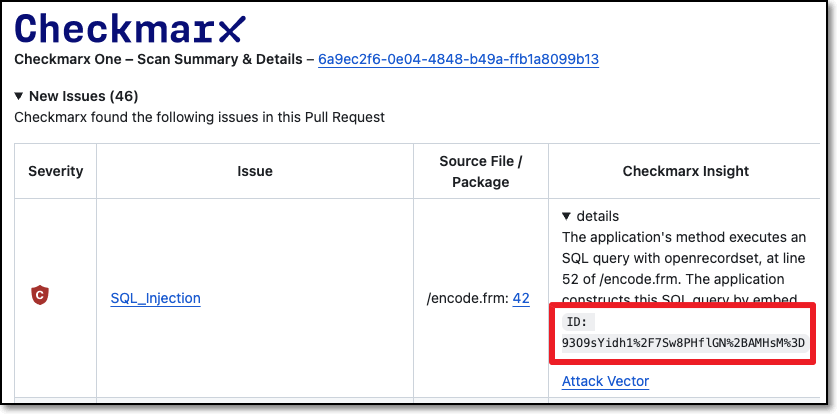
scan run branch= <branch>: Initiate a new Checkmarx One scan. Optional parameter 'branch' can be added to this command. Default: source branch.