AI Assist Settings
Configuring AI Triage in Global Account Settings
In the global account settings you can define the default rules that determine when AI Triage is automatically run across your organization.
In the Checkmarx One web application, navigate to Global Settings > AI Assist.
Activate the Auto-triage toggle.
The Auto-triage configuration options are shown:
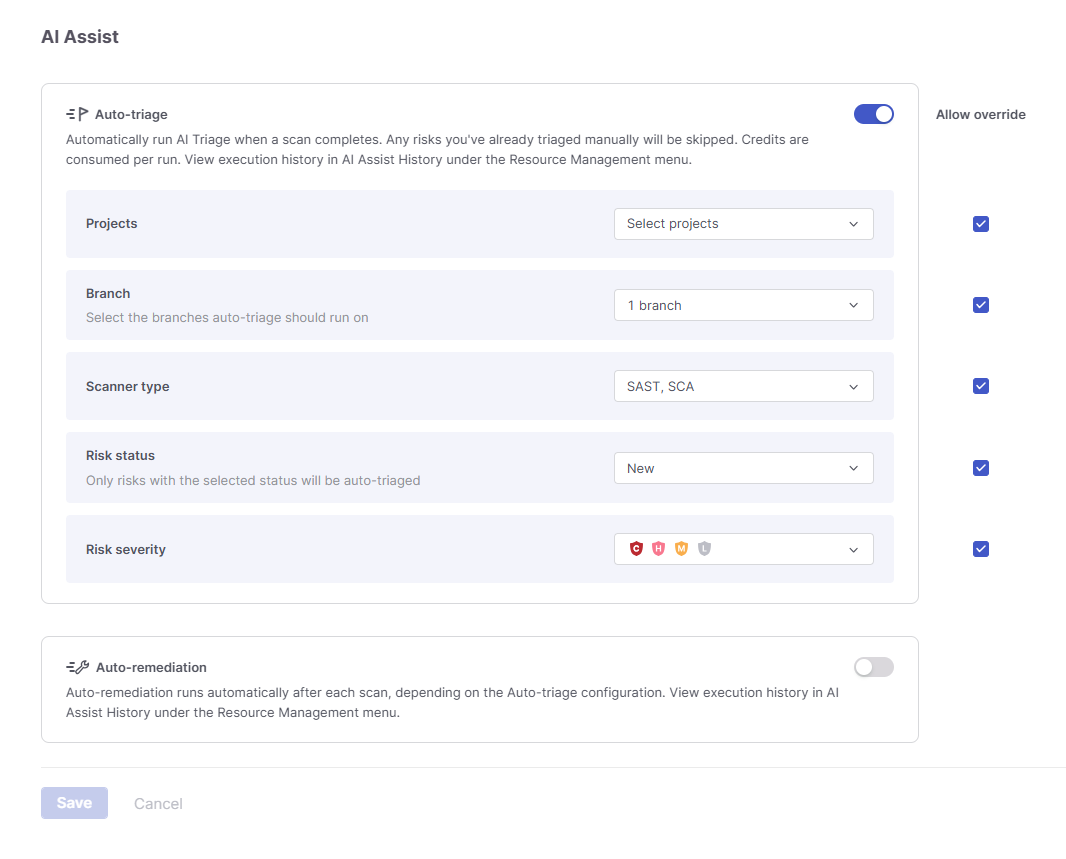
Specify values for the following parameters:
Projects – The projects to which the following rules for running AI Triage apply.
Branch – The branches which trigger automatic AI Triage.
Scanner type – The scanners whose results trigger AI Triage.
Risk status – The vulnerability status values that trigger AI Triage.
Risk severity – The vulnerability severity levels to include.
For each parameter, select the Allow Override checkbox to permit individual projects to customize their own Auto-Triage settings.
Click Save.
Configuring AI Remediation in Global Account Settings
In the global account settings you can define the default rules that determine when AI Remediation is automatically run across your organization.
In the Checkmarx One web application, navigate to Global Settings > AI Assist.
Activate the Auto-remediation toggle.
The Auto-remediation configuration options are shown:
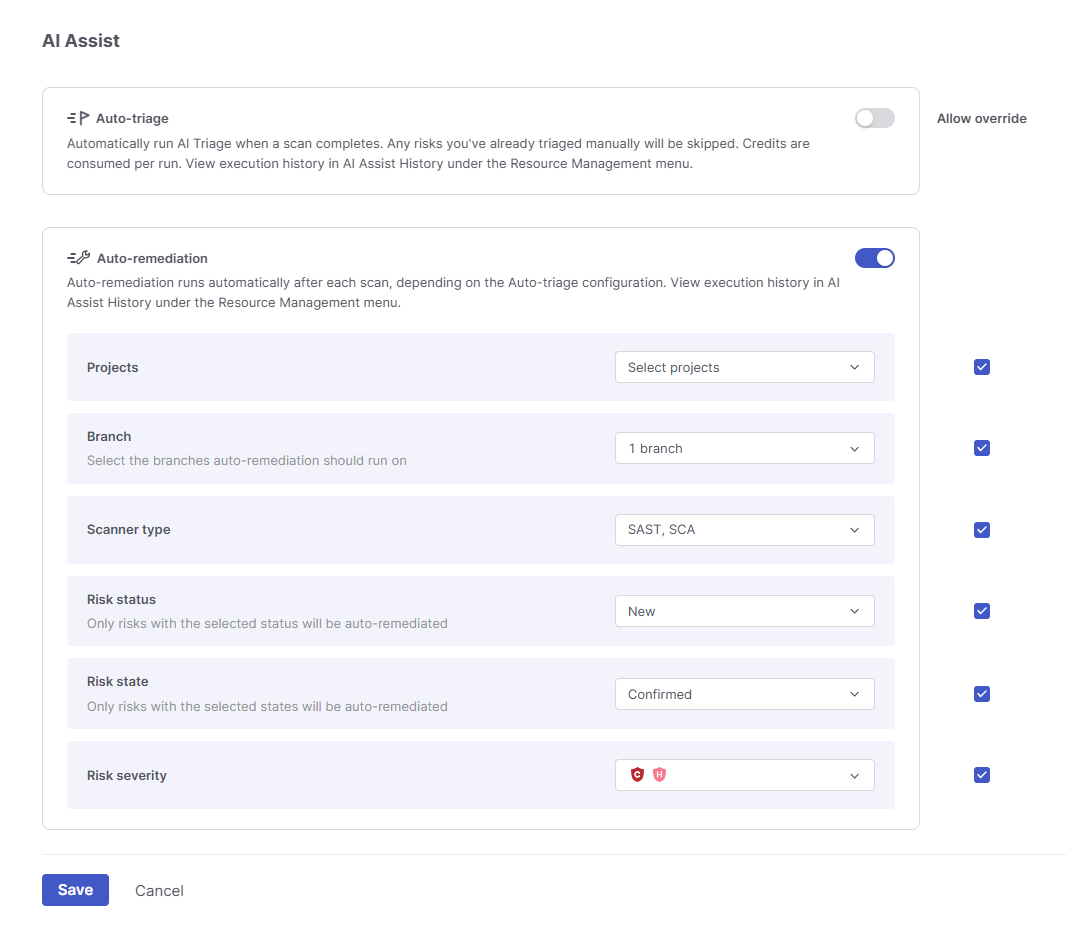
Specify values for the following parameters:
Projects – The projects to which the following rules for running AI Remediation apply.
Branch – The branches which trigger automatic AI Remediation.
Scanner type – The scanners whose results trigger AI Remediation.
Risk status – The vulnerability status values that trigger AI Remediation.
Risk state - The vulnerability state values that trigger AI Remediation.
Risk severity – The vulnerability severity levels to include.
For each parameter, select the Allow Override checkbox if you would like to permit individual projects to customize their own Auto-Remediation settings.
Click Save.