Comparing Scan Result Sets
Scan comparison is available from the Scans list for any project. Navigate to [Project] → Scans to view the list of completed scans. You can compare the results of two scans in separate projects. CxSAST provides a summary of differences, and an interactive interface similar to the interface for results of single scan.
To view a comparison, select two rows in the table and click Compare Scans.
The following message is displayed when comparing scans from different projects: "You are about to compare scans from different projects, results might reveal significant differences"
 |
A comparison summary is displayed:
 |
Note
Scan Risk is expressed as a percentage from 0–100, based on the severity and volume of vulnerabilities found. A higher number indicates greater risk, not a better result.
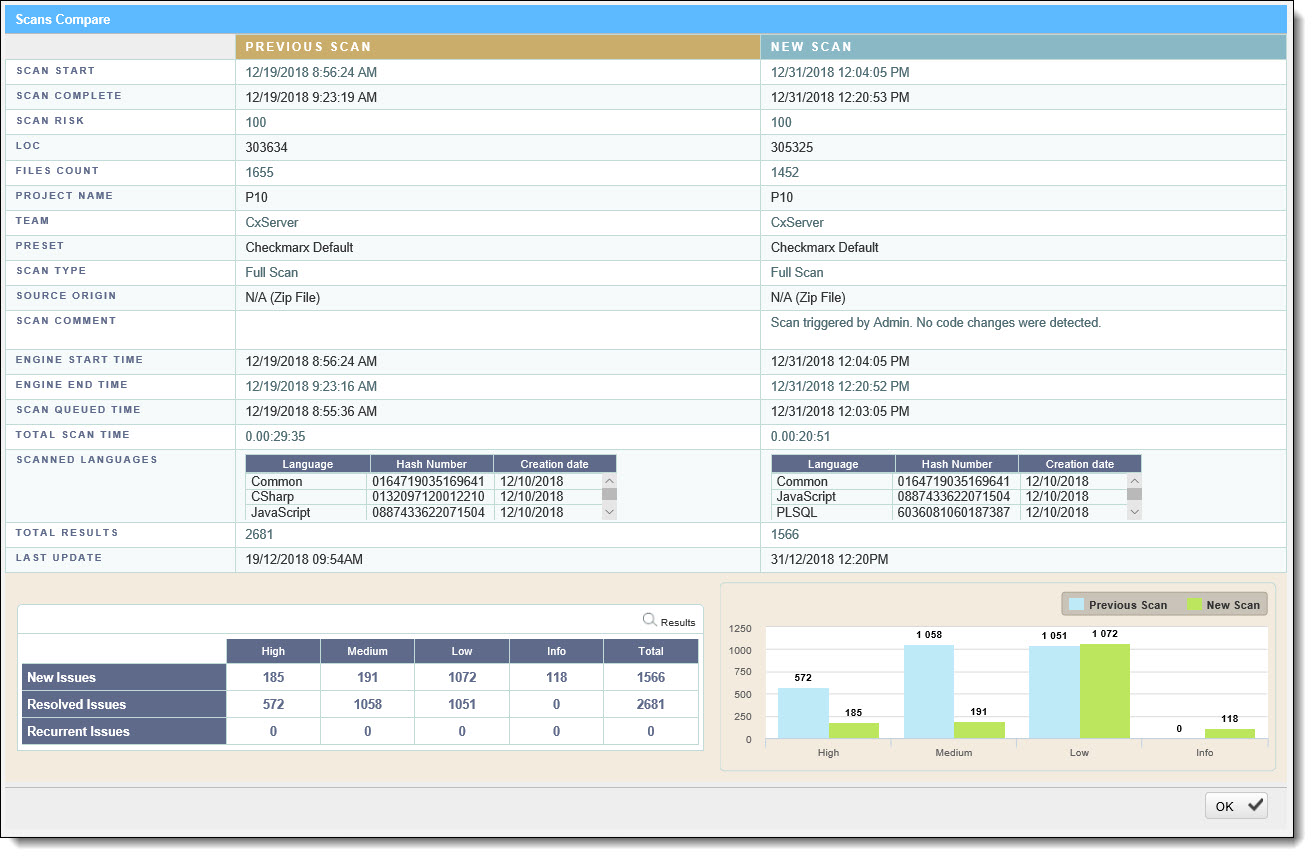
The comparison summary includes:
The scan details table, showing the scan start and finish dates, risk levels, LOC (Lines of Code scanned), number of files, query set, source code origin, comments, code language details (including unique identifier and date of last change to the language queries), and total vulnerabilities found.
The bottom-left table displays changes from the earlier scan to the newer one, in number of issues of each severity level:
New Issues: Issues that were found only in the newer scan
Resolved Issues: Issues that were found only in the older scan
Recurrent Issues: Issues that were found in both scans
The bottom-right chart graphically compares the number of found vulnerabilities in both scans, for each severity level.
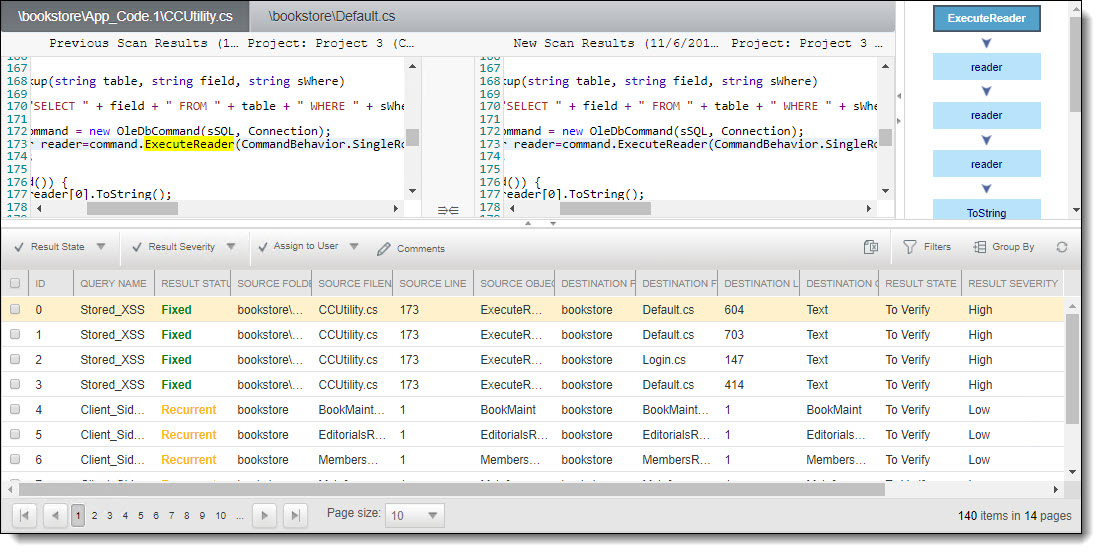
To view a code comparison, click Results. A code comparison is displayed: