AI Assist Project Settings
Configuring AI Triage in Project Settings
Automatic AI Triage can be configured for individual projects. Project settings can be used when AI Triage has not been configured at the account level, or to customize the settings for a specific project when Allow Override is enabled.
Navigate to the desired project's Project Settings > AI Assist tab.
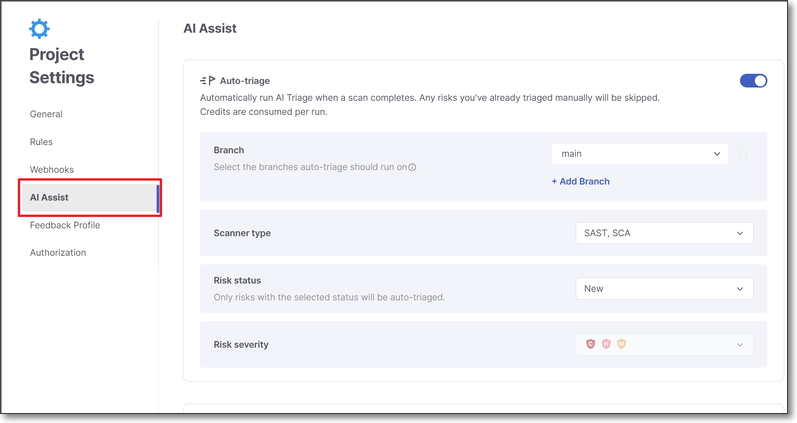
Activate the Auto-triage toggle.
The Auto-triage configuration options are shown:
Specify values for the following parameters:
Branch – The branches which trigger automatic AI Triage.
Scanner-type – The scanners whose results trigger AI Triage.
Risk Status – The vulnerability status values that trigger AI Triage.
Risk Severity – The vulnerability severity levels to include.
Click Save.